Design Your Workstation
If you can splurge on only one thing in your office, make it your workstation. This is the place where the rubber meets the road every day. Having an ergonomic — meaning efficient and safe — arrangement of your chair, desk, computer, keyboard, mouse and telephone can keep you working more productively and prevent repetitive injuries.
Tailor your setup so that it encourages good posture. There’s no one correct way to sit, but the Occupational Safety and Health Administration offers some guidelines. OSHA recommends that your forearms, wrists and hands be in a straight line and generally parallel to the floor; your head be level or bent slightly forward and in line with your torso; and your elbows stay close to your body. Your thighs and hips should be roughly parallel to the floor, and your knees about the same height as your hips. Your feet should be slightly forward and fully supported by the floor or a footrest.
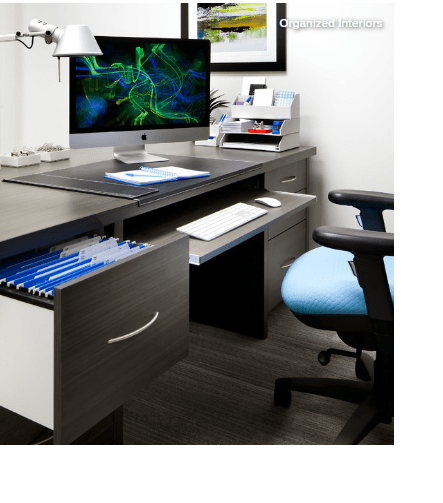
Chair. Choose a comfortable chair with wheels, a swiveling seat, good lumbar support and controls that let you adjust every component for height, width, depth and tilt.
Keyboard tray. A pullout keyboard tray or shelf such as this one can help reduce muscle strain. If your desk height is fixed, a tray can allow you to adjust your keyboard and mouse height and distance to help you work in a relaxed, comfortable position.
Other options. A telephone headset and a document holder for typing also can help prevent muscle strain.
Until next time….
*Info provided by Houzz.com
 LK Marketing and Real Estate
Leave a comment